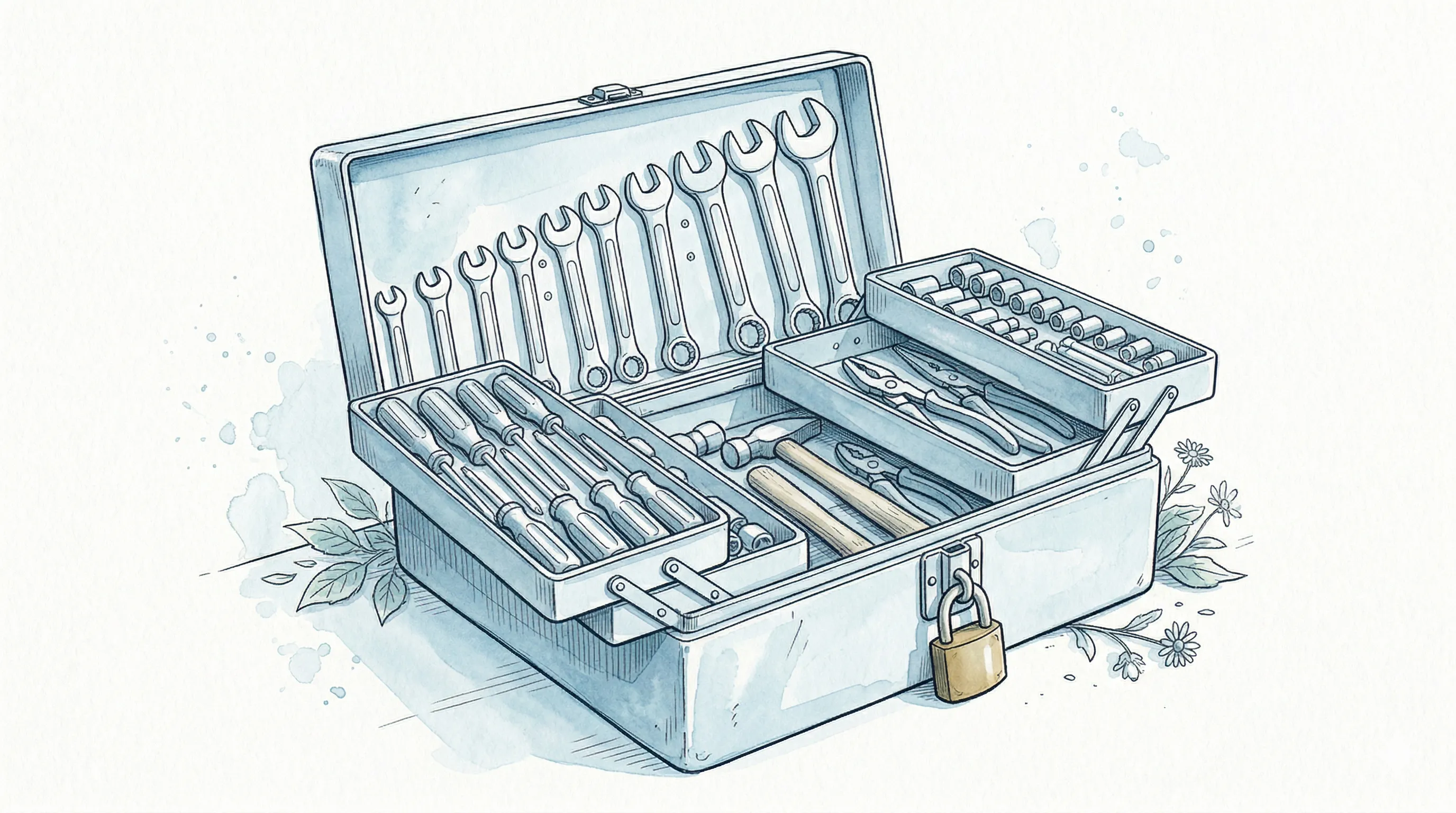
When you tell Claude Code to “edit this file,” tool selection, input validation, permission checks, AST security scanning, execution, and result processing all happen in strict sequence within milliseconds. 52 tools pass through a 10-step pipeline via a common interface, surviving 23 steps of security checks. This article deconstructs that system based on analysis of the Claude Code source (512,000 lines of TypeScript).
What Happens When a Tool Is Called
Here is the full journey of a single tool call in Claude Code:
- Tool name lookup (matching among 52 tools)
- Abort check (did the user press Ctrl+C?)
- Input schema validation (Zod)
- PreToolUse hook execution
- Permission check (5-stage pipeline)
- Tool execution (the actual work)
- Result mapping to ToolResult
- Result size check (overflow goes to disk)
- PostToolUse hook execution
- Telemetry dispatch
Out of these 10 steps, only step 6 is the actual work. The other 9 are infrastructure for safety and consistency. This is the reality of production agent systems.
The 52-Tool Catalog
All tools fall into 8 categories. gated = controlled by Feature Flags, disabled by default.
| Category | Count | Tools |
|---|---|---|
| File Operations | 6 | FileRead, FileEdit, FileWrite, Glob, Grep, NotebookEdit |
| Execution | 3 | Bash, PowerShell, REPL |
| Search and Fetch | 4 | WebBrowser (gated), WebFetch, WebSearch, ToolSearch |
| Agents and Tasks | 11 | Agent, SendMessage, TaskCreate/Get/List/Update/Stop/Output, TeamCreate, TeamDelete, ListPeers (gated) |
| Planning | 5 | EnterPlanMode, ExitPlanMode, EnterWorktree, ExitWorktree, VerifyPlanExecution (gated) |
| MCP | 4 | mcp, ListMcpResources, ReadMcpResource, McpAuth |
| System | 11 | AskUserQuestion, TodoWrite, Skill, Config, RemoteTrigger (gated), CronCreate/Delete/List (gated), Snip (gated), Workflow (gated), TerminalCapture (gated) |
| Experimental | 8 | Sleep, SendUserMessage, StructuredOutput (gated), LSP (gated), SendUserFile (gated), PushNotification (gated), Monitor (gated), SubscribePR (gated) |
52 total: 41 always active, 11 feature-gated. The real insight is that all 52 share a single interface.
The Common Interface: Every Tool’s Contract
All 52 tools share this contract:
| Property / Method | Purpose |
|---|---|
name | Tool identifier for LLM calls |
inputSchema (Zod) | Parameter validation — defends against hallucination |
call() | Execution logic |
description() | Tool description for the LLM |
checkPermissions() | Permission verification |
validateInput() | Additional input validation beyond schema |
isConcurrencySafe() | Whether parallel execution is safe |
isReadOnly() | Read-only flag for permission modes |
maxResultSizeChars | Size ceiling — overflow to disk |
render*() | Terminal UI rendering |
isConcurrencySafe() is not a simple boolean. FileRead always returns true, but FileEdit returns false only when targeting the same file. This granularity is the foundation of the concurrency model.
The Tool Assembly Pipeline
Tools pass through 5 filtering stages before reaching the LLM.
flowchart LR
    A["getAllBaseTools()\n44+ built-in tools"] --> B["Feature Gate\nFilter"]
    B --> C["Deny Rules\nFilter"]
    C --> D["Mode Filter\nplan/auto/default"]
    D --> E["Alphabetical\nSort"]
    E --> F["assembleToolPool()\n+ MCP tool merge"]
Why alphabetical sorting? Tool definitions ship as part of the system prompt for API prompt caching. If tool order changes, the cache key changes and hit rates plummet. Alphabetical sorting keeps order stable across tool additions/removals. Deny Rules let users block tools via .claude/settings.json; Mode filter excludes write tools in Plan mode, etc.
The 10-Step Execution Pipeline in Detail
| Step | Name | What It Does |
|---|---|---|
| 1 | Name Lookup | Match tool name against assembleToolPool(). No match = immediate error. |
| 2 | Abort Check | Check AbortSignal (Ctrl+C). Skip execution if set. |
| 3 | Input Validation | Zod schema check on LLM-generated params. Catches hallucinated types. |
| 4 | PreToolUse Hook | External script extension point. Enterprise custom security checks. |
| 5 | Permission Check | 5-stage Permission Pipeline (detailed below). Block = no execution. |
| 6 | Execution | call() invoked — the actual work happens here. |
| 7 | Result Mapping | Raw result converted to standardized ToolResult format. |
| 8 | Size Check | Overflow beyond maxResultSizeChars saved to disk; LLM gets reference only. |
| 9 | PostToolUse Hook | Post-execution extension point. Audit logging, notifications. |
| 10 | Telemetry | Execution time, success/failure, tool name collected for monitoring. |
Concurrency Model: Safe Tools Run Parallel, Unsafe Tools Run Sequential
Claude Code’s StreamingToolExecutor manages multi-tool execution per turn.
flowchart TB
    subgraph "Batch 1 -- Parallel"
        direction LR
        R1["FileRead\n/src/a.ts"]
        R2["FileRead\n/src/b.ts"]
        R3["Grep\npattern: error"]
    end
    subgraph "Batch 2 -- Sequential"
        E1["FileEdit\n/src/a.ts"]
    end
    subgraph "Batch 3 -- Parallel"
        R4["FileRead\n/src/c.ts"]
        R5["Glob\n**/*.test.ts"]
    end
    R1 & R2 & R3 --> E1
    E1 --> R4 & R5
Core rules:
| Type | Condition | Execution |
|---|---|---|
| Safe tool | isConcurrencySafe() = true | Batched together, parallel execution (max 10) |
| Unsafe tool | isConcurrencySafe() = false | Starts a new batch, sequential solo execution |
| Failure handling | One tool in a batch fails | Sibling tools in the same batch are aborted |
StreamingToolExecutor optimization: Execution starts as soon as tool parameters are complete while the API response is still streaming. The first tool may already be running while the LLM generates the third tool’s parameters. The parallel batch cap of 10 is a practical ceiling to limit filesystem load.
The 5-Stage Permission Pipeline
The pipeline that checks permissions before tool execution.
flowchart TB
    A["1. Rule Matching\nDeny/Allow rule lookup"] --> B["2. Mode Check\nExecution mode verification"]
    B --> C["3. ReadOnly Check\nRead-only flag check"]
    C --> D["4. AI Classifier\nAuto mode only"]
    D --> E["5. User Prompt\nFinal user confirmation"]
    E --> F["ALLOW / DENY"]
Four permission modes govern this pipeline:
| Mode | Read Tools | Write Tools | Notes |
|---|---|---|---|
| Default | Auto-allow | User confirmation | Safest, default |
| Auto | Auto-allow | AI classifier | Lightweight rule engine, not LLM call |
| Plan | Allow | Block | Read-only mode |
| Bypass | Auto-allow | Auto-allow | CI/CD only |
Rule priority: Local > Project > User > CLI Flags > Org Policy. Lower-level rules cannot override higher-level ones.
BashTool Security: 888KB, 23-Step AST Inspection
Bash can execute arbitrary shell commands — the most dangerous capability in an agent. Claude Code addresses this with Tree-sitter-based AST parsing.
| Metric | Value |
|---|---|
| Security code size | 888KB (18 files) |
| Inspection steps | 23 |
| Parser | Tree-sitter (bash + zsh grammar) |
| Design principle | Fail-closed (block on parse failure) |
Key Areas of the 23-Step Inspection
| Area | What It Catches |
|---|---|
| Command Substitution | Nested commands like $(rm -rf /), even hidden inside strings |
| Variable Expansion | $HOME, ${PATH} — prevents malicious path injection via env vars |
| Redirection | Validates every >, >> target path. Blocks writes to system files |
| Pipes | Inspects post-` |
| Zsh-specific | =curl (equals expansion), builtin bypass attempts |
| Unicode attacks | Zero-width chars, null bytes, homoglyphs that visually mimic safe characters |
Fail-Closed Design
If Tree-sitter cannot parse a command — it blocks by default. “Do not execute what you cannot understand.” Occasionally blocks legitimate commands, but security takes precedence.
The Hook System: Intercepting the Execution Flow
Hooks insert external logic at specific pipeline points.
timeline
    title Hook Lifecycle
    SessionStart : On session initialization
    UserPromptSubmit : On user input submission
    PreToolUse : Just before tool execution
    PostToolUse : Just after tool execution
    Stop : On agent response completion
Hook Response Types
| Response Field | Effect |
|---|---|
continue: false | Abort the entire pipeline |
decision: "block" | Block only this tool execution |
updatedInput | Modify the tool’s input parameters |
additionalContext | Inject additional context to the LLM |
updatedInput lets enterprises change directory paths or mask parameters before execution. additionalContext injects supplementary info alongside the tool result.
BashTool Special Features
15-second timeout with auto-background: Commands exceeding 15 seconds convert to background tasks, freeing the agent. 2-second progress reports capture stdout/stderr at intervals so the LLM tracks long-running processes in real time. No more synchronous stalls.
AgentTool: 5 Execution Modes
The Agent tool creates sub-agents to delegate work across five modes.
| Mode | Process | State Isolation | Primary Use Case |
|---|---|---|---|
| Same-process Immediate | Same process | Shared | Simple delegation, fast response |
| Background Async | Same process, async | Shared | Long tasks in parallel |
| Tmux Panel (Teammate) | Separate tmux panel | Partial isolation | Concurrent work with user |
| Isolated Git Worktree | Separate process | Full isolation (separate git worktree) | Parallel branch work |
| Remote Cloud | Remote server | Full isolation | CI/CD integration, large-scale tasks |
Isolated Git Worktree stands out: independent work on a different branch without cloning, so you review code on main while a sub-agent tests on a feature branch.
Key Numbers at a Glance
| Item | Value |
|---|---|
| Total tools | 52 (41 active + 11 gated) |
| Tool categories | 8 |
| Execution pipeline steps | 10 |
| Max parallel batch size | 10 |
| Permission pipeline stages | 5 |
| Permission modes | 4 |
| Bash security code size | 888KB (18 files) |
| Bash security inspection steps | 23 |
| Hook points | 5 |
| AgentTool execution modes | 5 |
| BashTool timeout | 15 seconds (then background switch) |
| Progress report interval | 2 seconds |
Conclusion: The Tool System Determines Agent Quality
An agent’s real capability is not determined by LLM reasoning ability alone. How safely, efficiently, and extensibly you manage tools determines the quality of a production agent.
Three principles recur: consistency (one interface, one pipeline), safety first (fail-closed, 23-step AST, 5-stage permissions), and extensibility (Hooks, MCP, Feature Flags). If you are designing an agent system, invest in the Tool System before the LLM prompt.
Sources & Limitations
This series synthesizes the following publicly available analyses and does not directly contain leaked source code.
| Source | URL | Focus |
|---|---|---|
| ccunpacked.dev | ccunpacked.dev | Visual architecture guide, tool/command catalog |
| Wikidocs Analysis | wikidocs.net/338204 | Detailed technical analysis (execution flow, state, rendering) |
| PyTorch KR | discuss.pytorch.kr | Community analysis + HN discussion synthesis |
| Claw Code | github.com/ultraworkers/claw-code | Clean-room reimplementation (Rust/Python), PARITY.md gap analysis |
Analysis date: April 2, 2026. Anthropic issued DMCA takedowns on 8,100+ forks and discontinued npm distribution shortly after the leak, so some sources may have changed accessibility. Features behind feature flags are unreleased and may be modified or deprecated before launch.
Related Posts
Agent System Design Canvas - 12 Production Patterns Proven by the Claude Code Leak
6-Layer agent system design canvas and 8+4 core patterns from the Claude Code source leak (512K lines TS). From the Circuit Breaker that stopped 250K/day wasted API calls with 3 lines, to 23-step bash AST security.

The Memory System I Built Looked Like Claude Code's Internal Design
CC internal Memory System (4-type persistent memory, Auto-Dream, Auto-Compact) vs independently built 3-layer system (documents→index→semantic search). validate_placement() is the differentiator CC doesn't have.
What the Claude Code Leak Revealed: Anatomy of an AI Agent
The March 31, 2026 npm sourcemap incident revealed Claude Code internals. 4-phase execution, 7 modes, and the 11-step Agent Loop analyzed.